Returns & Exchanges VisualUpdated 11 hours ago
This is a sample order we created for this instruction.
1. Once you enter your Order Number and Zip Code , your order items will appear.
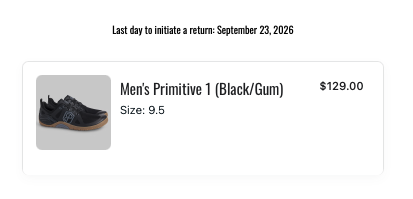
2. Click on the item you are returning/exchanging and fill out the prompts about the item.
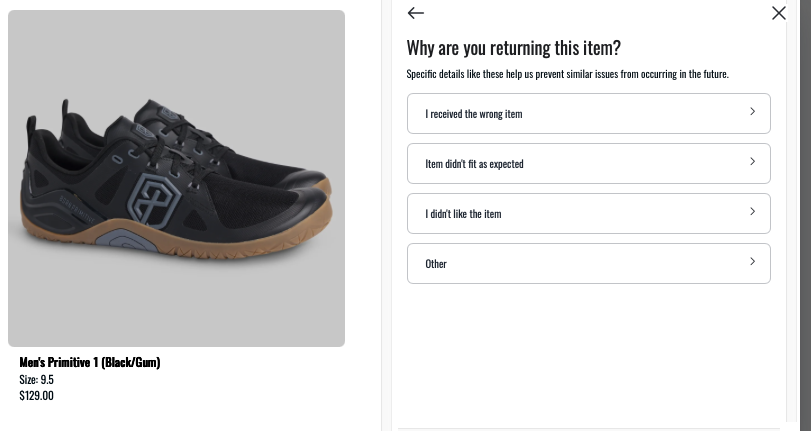
3. From here you can exchange for a new size, or if you want a new color, exchange for an alternate item, or return, click the arrow at the top of this screen.
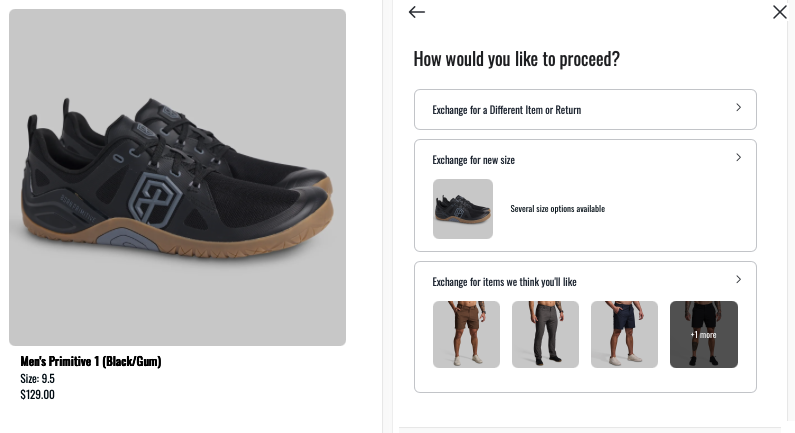
4. Once you have made your selections for that item, you will see this screen. You can repeat the same process with any additional items you have, or click continue, to continue.

a) If you purchased a product SET, you will need to select if you are returning the entire set (SIZE/SIZE) or just one of the items (SIZE).

5. You will then see this screen.
a) If you want to return and not exchange please click the left button.
b) If you are exchanging for new items or different colors, click the right button.
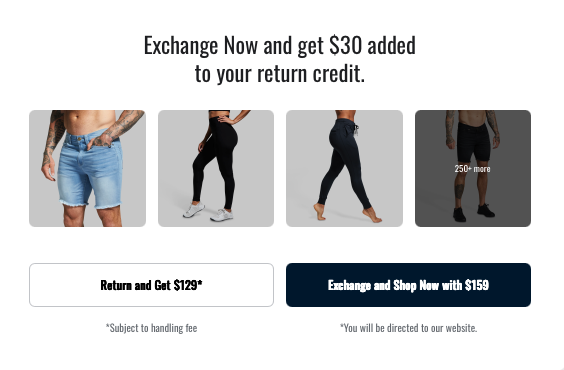
6. If you select to exchange, you will be directed to our main website. You can view your available credit in the bottom left corner of the screen shown in screenshots below.
7. Navigate to the new item you would like to exchange , and add to cart.
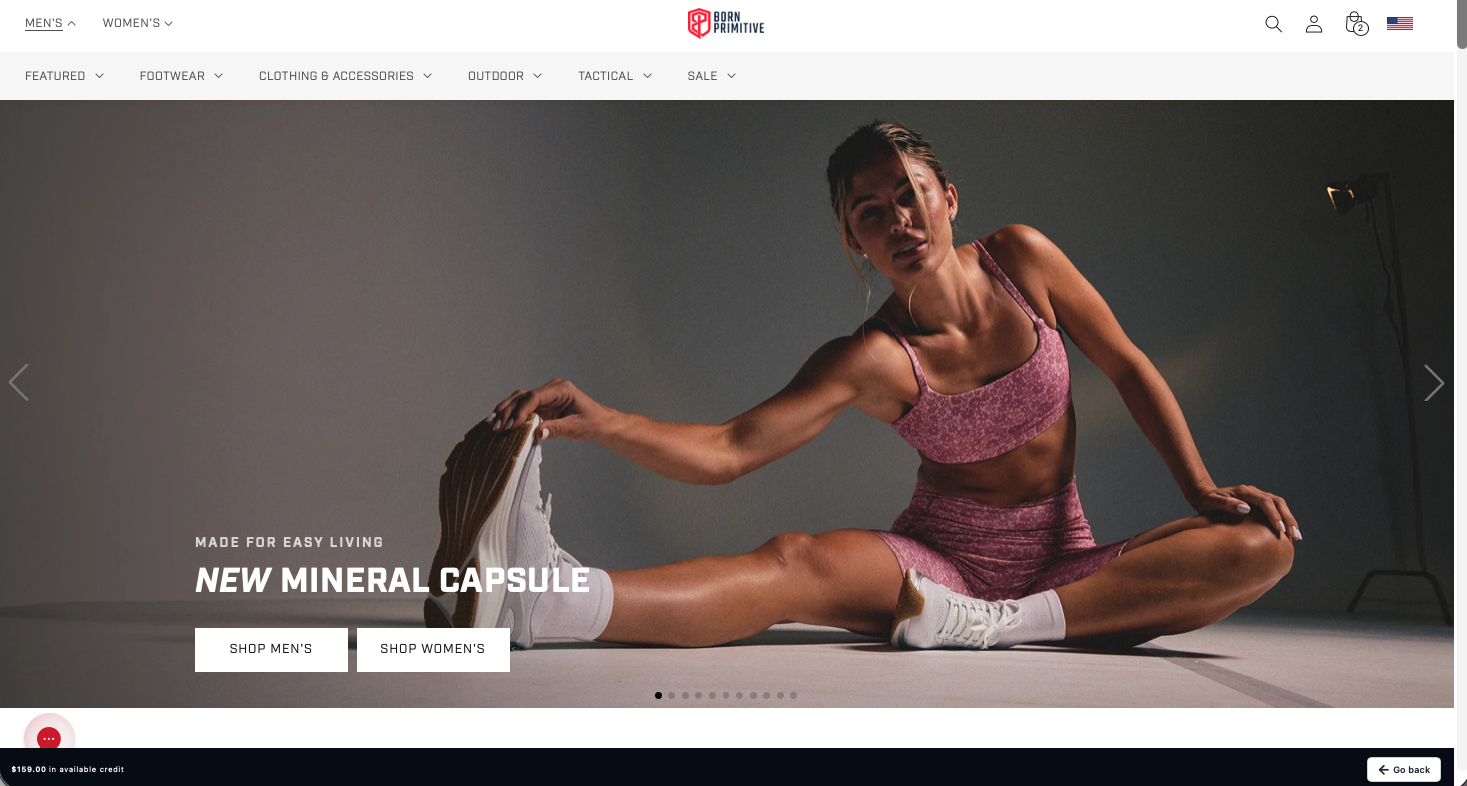
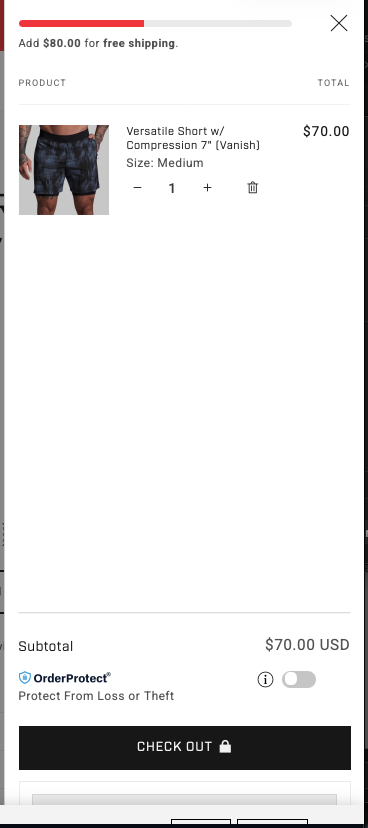
*Important: Click checkout without logging into Shop Pay, PayPal, or any third-party payment, or your order may process as a normal purchase instead of an exchange.
**We are not able to convert regular orders into exchanges.
9. Once you hit checkout, a loading screen will populate:

10. You will then be able to review your returning items, items you are exchanging, and if there is any amount due. Your shop now bonus is only applicable within the exchange portal and does not carry over to a retainable store credit.
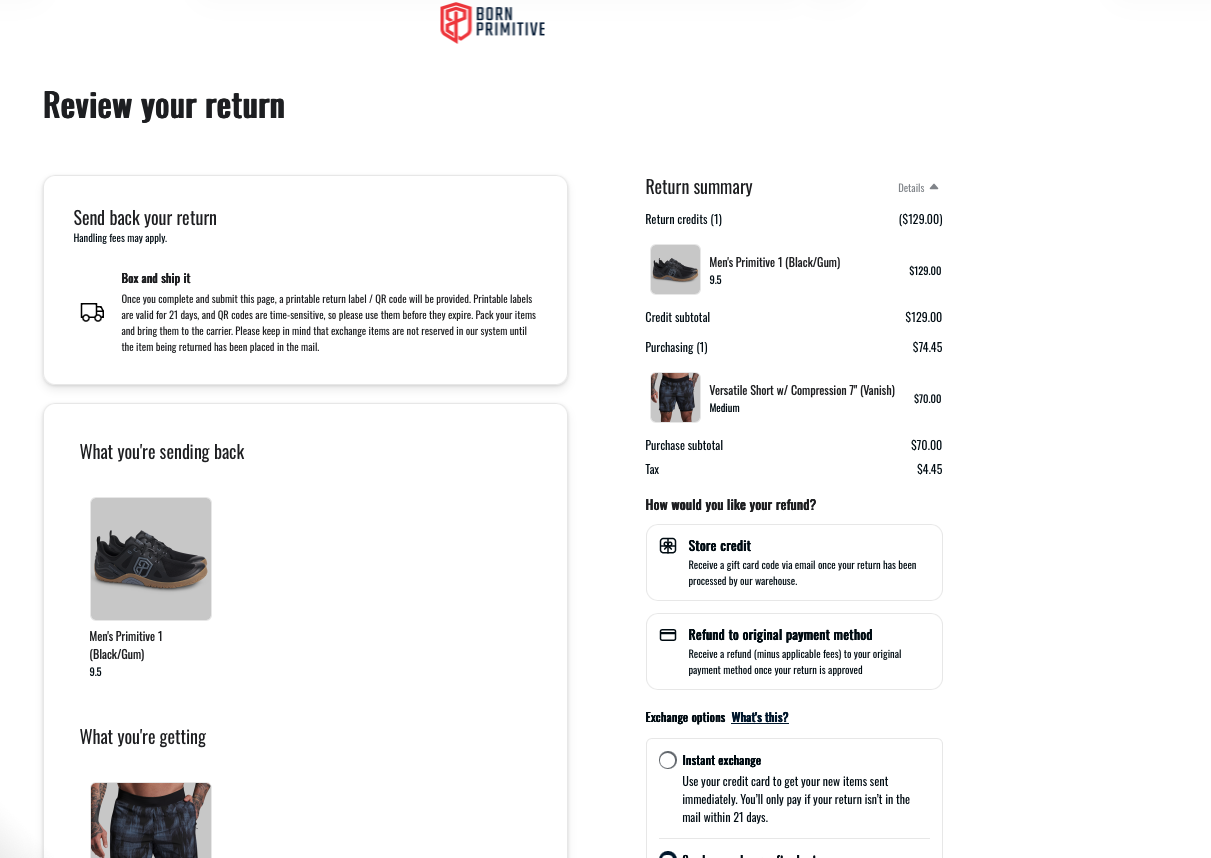
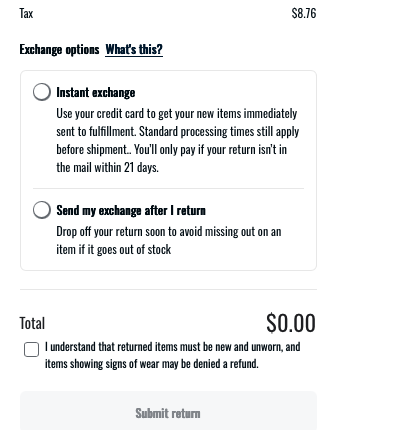
10a. If you choose an Instant Exchange, Loop will place a hold on your card for the full value of the item(s). This hold lasts for 21 days or until your original item is marked as in transit. If the return isn’t on its way within that window, the card will be charged.
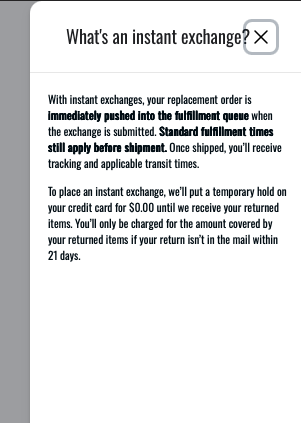
Please note: selecting an Instant Exchange will push your exchange order into the fulfillment queue, and we cannot edit orders after they are received by our warehouse system. To avoid delays or issues, please make sure all items and sizes are correct before processing.
Don’t want a hold? You can choose a regular exchange instead—no card hold is required unless there’s a price difference
b) Example of even Exchange
 c) Example of Return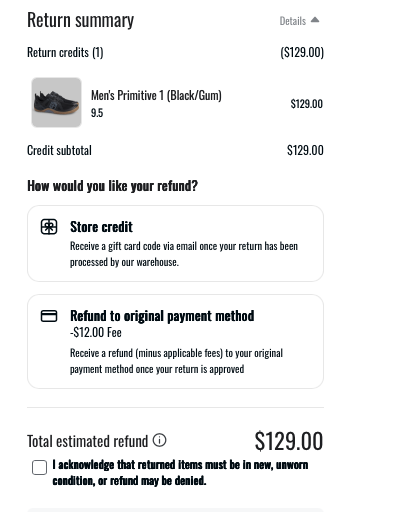
c) Example of Exchange for new item
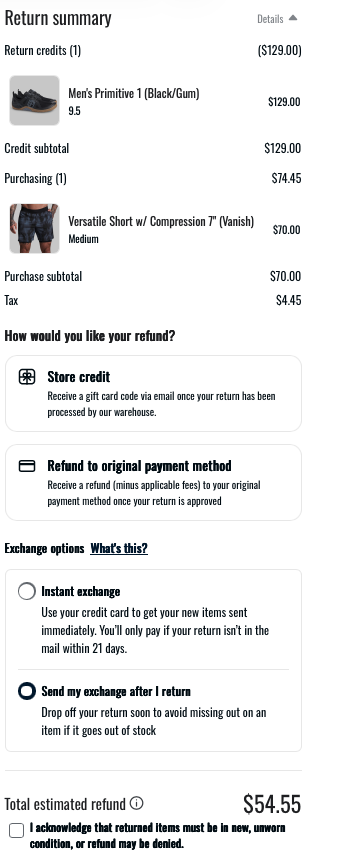
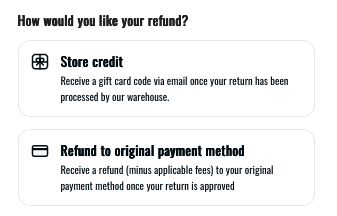
If your exchange has any leftover amount to be refunded, your submit button may be greyed out, to proceed, once of the refund buttons will need to be selected, it will look like the below image:
Once you submit your return, your confirmation page will have your return labels, instructions, and your return summary. This information will also be emailed.